VinHkE · FOR HAMMERHEAD KAROO
More possibilities inside Ride
VinHkE is an extension for Hammerhead Karoo that expands native Ride with data, visualisations and tools designed for use while you pedal.
It does not replace Ride. It extends it.
Keep using the map, your profiles and the familiar Karoo experience while VinHkE adds exactly the information or tools you need.

CONFIGURABLE FIELDS
Your screen, your data
Sometimes you do not need more screens. You need to make better use of the one you already have.
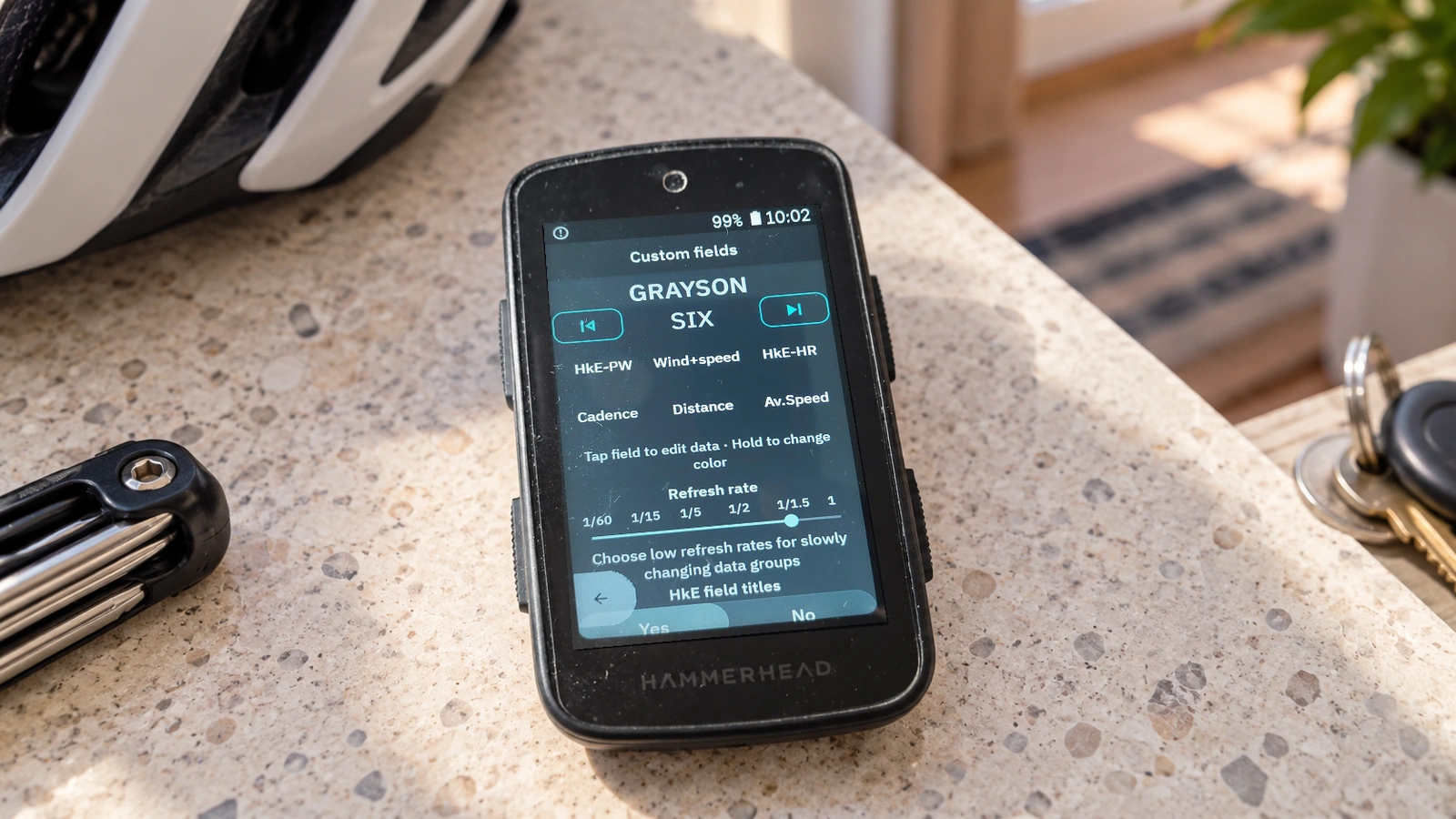
SIX was born while racing GPS-guided XCM. The map had to stay visible, but power, heart rate, zone, distance and other race data still mattered.
Constantly switching pages was not a solution.
VinHkE can bring several metrics into one field, leaving more room for the map or anything else that matters.
Grayson, Vanesa, Lucy, Leonardo, SIX and other layouts let you build a screen around the way you actually use Karoo.
AT-A-GLANCE DATA
Data you can understand at a glance
A number is not always the quickest way to understand what is happening.
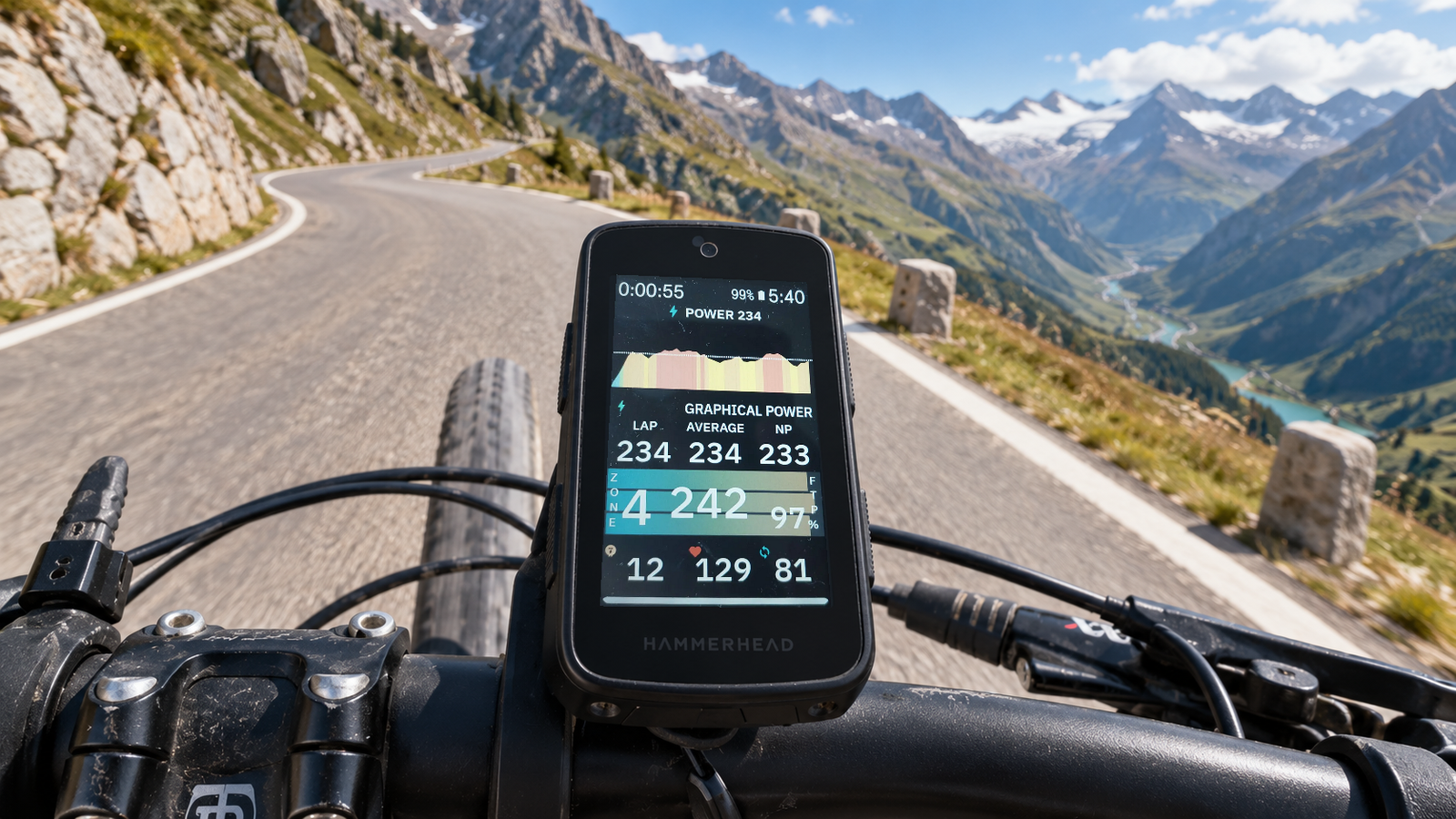
VinHkE adds graphical fields, colour zones, multi-metric layouts and continuous charts so power, heart rate, gradient and changes through the ride are easier to read.
The idea is simple: spend less time looking at the screen and understand what is happening sooner.
LONG-DISTANCE RIDING
Energy for long rides
On a long ride, what you produce is only part of the picture. What you spend matters too.
VinHkE can show activity energy expenditure and estimates of carbohydrate and fat use during the effort.
That context is particularly useful in endurance, ultra-distance and long days where managing energy is part of the ride.
It is not a replacement for a nutrition strategy. It is context while you ride.

PEDALING DYNAMICS
Not only how hard you push, but how you pedal
Pedaling Dynamics brings left/right balance, Torque Effectiveness and Pedal Smoothness into one view.
Choose the metric you want to watch and follow its evolution over the previous 90 seconds.
It is a direct way to notice asymmetries, changes in technique or simply understand how you are applying power.

L/R BALANCE
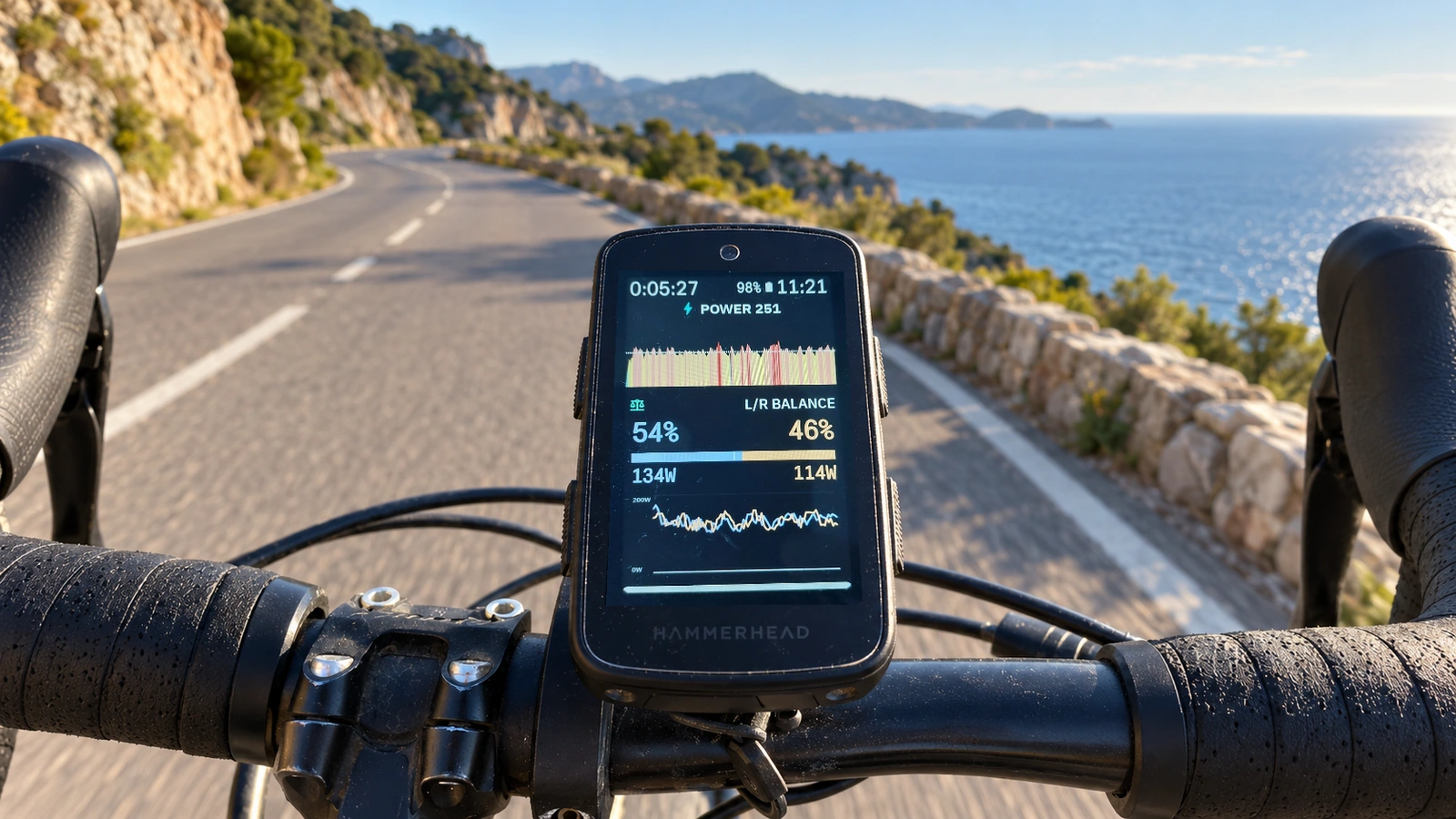
Your power balance, live
L/R Balance is built around one specific question: how are you splitting the effort between your legs?
The view shows left/right percentage, estimated power from each leg, a central balance indicator and a chart covering the previous 90 seconds.
Clear, direct information for riders using a compatible power meter with bilateral data.
ALERTS
Your persistent ride coach
Today is a Z2 day.
You mean to stick to it, but then a climb appears, someone passes you, or you simply feel a little too good.
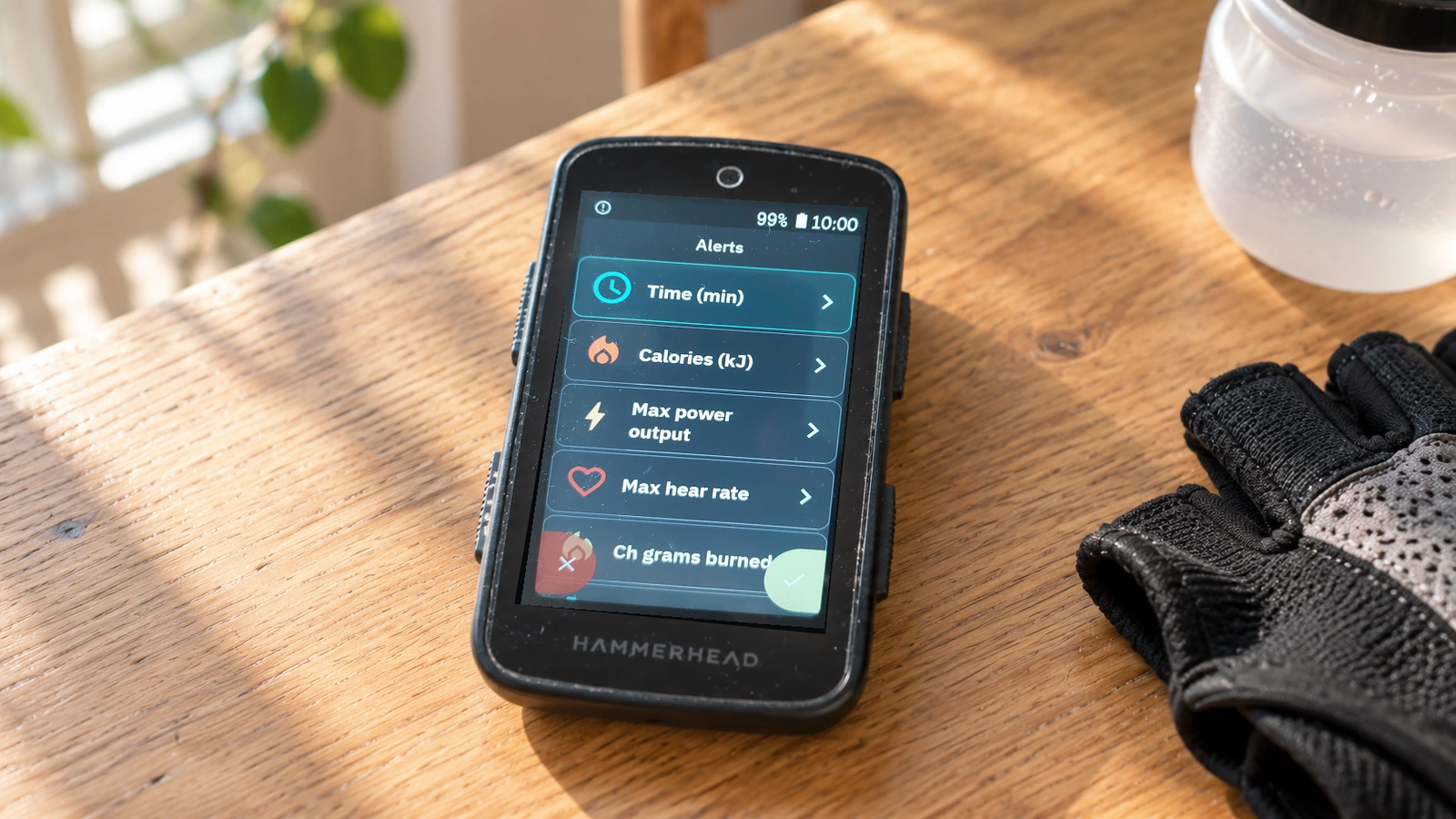
VinHkE can remind you what you decided before the ride began.
Alerts can watch time, calories, maximum power, maximum heart rate, carbohydrates used, maximum or minimum gear, distance, remaining W′ or even a Walk-Run session.
When you leave the plan, Karoo lets you know. If you do it again, so does VinHkE.
PIT BOARD
Someone can ride with you without being on the bike
Pit Board connects your Karoo in real time with a race assistant or your family at home.
It started with racing in mind: time gaps, the next feed point, equipment you need, or anything someone outside the race can know better than you.
Messages appear inside Ride and may include prepared answers so you can respond without stopping.
You do not have to be racing. Sometimes you only need to say that you are still an hour from home.

WORKOUTS
Train inside Ride
Your workout can reach Karoo without forcing you to leave Ride.
With VinApp and VinHkE, the selected workout appears inside Ride in its own widget.
Follow the interval target, check the relevant data and move through the session while Karoo continues to manage and record the activity.
When the workout ends, the ride does not have to.
Requires VinApp.

MORE TOOLS
Virtual Racer + Headwind
Virtual Racer lets you set a reference speed and race it during the ride. VinHkE shows whether you are ahead or behind, the distance between you and the estimated time gap.
Headwind integration can show wind direction, its effective headwind or tailwind component and how it relates to your own speed.
Headwind
Requires Headwind.
Headwind + VinHkE
BUILT FROM REAL RIDES
Born on the bike
Many VinHkE features began with one simple question: what if Karoo could do this?
Keep important data beside the map. Get a warning before overdoing it. Know what your rival is doing. Receive a message from a feed point. Understand your pedalling a little better.
VinHkE keeps growing the same way: by solving problems that genuinely appear while riding.
VINHKE
Extend Ride with the tools you miss when you are actually on the bike
Explore VinHkE's features, or go straight to Help when you are ready to add and configure them on your Karoo.